Unlocking Value Through Clean; Connected Data: How Aformity Bridges the Gap
In this post:
- We’ll explore how Aformity works at a strategic level.
- We’ll highlight the value it delivers for go-to-value, ramp-up and operational teams.
- Then we’ll map a pragmatic playbook for how to integrate it into your onboarding flows and drive real impact.
What Aformity Does: Data Migration from “Competitor Platform → Yours”
At its core, Aformity offers a purpose-built service to simplify and accelerate the migration of customer data from a competitor or prior system into your SaaS platform. Specifically:
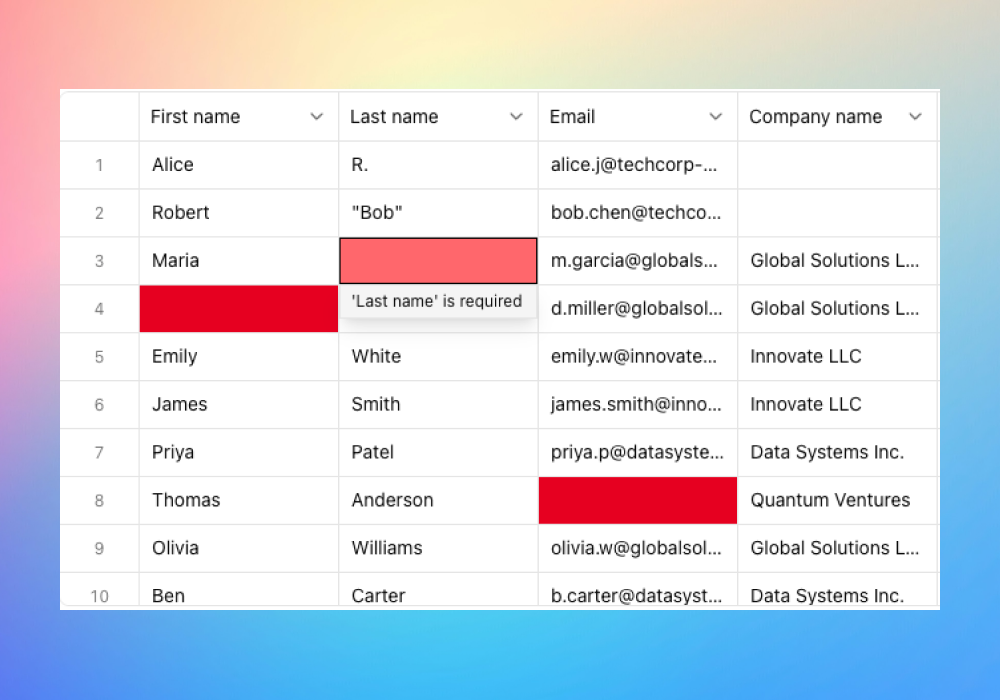
- They specialise in taking messy CSVs, exports or legacy data and turning them into clean, validated datasets ready for import. ([aformity.com][1])
- They list target systems including major CRMs or SaaS platforms like HubSpot, Shopify, Salesforce and Zoho (as examples) for the destination side. ([aformity.com][1])
- They package migration as a specialist domain: which means your onboarding or CSM team doesn’t have to build or resource heavy-data-engineering work themselves.
This addresses a recurring pain point: when you win a customer who is already using “Platform X”, you often commit to migrating their history, contacts, orders, usage logs, etc — and the cost, risk and delay of that can derail onboarding, reduce satisfaction, and lengthen time-to-value. Aformity abstracts that burden.
Why This Matters: Value Drivers for Success & Ops Teams
1. Faster Time to Value (TTV)
Getting data in quickly, cleanly and correctly means your customer begins using your platform sooner and feels the payoff sooner. Onboarding teams love that because fewer blockages = better metrics.
2. Reduced Risk & Manual Overhead
Manual data imports tend to be error-prone: duplicate contacts, lost fields, mis-mapping, etc. That drags CSMs into firefighting mode rather than proactive success. A specialist migration partner helps mitigate that.
3. Higher Customer Confidence & Satisfaction
From the buyer’s perspective, the question is: “Will we lose our history if we switch?” Successfully migrating data gains trust. Implementation teams can lean “we have a partner who handles the heavy lifting”.
4. Operational Efficiency & Scalability
For the operations team running onboarding programs across many customers, standardising the data-migration piece means you can scale without reinventing it each time. Your team can design a repeatable “customer-onboard-with-data-migration” workflow.
5. Clean Slate for Data Quality
Migrating from a competitor platform often means inheriting years of unstructured or poorly-maintained data. A specialist migration offers a chance to clean, dedupe and structure during transit → leading to better analytics, reporting and long-term value.
How to Leverage Aformity: A Step-by-Step Framework
Here’s a playbook you can integrate into your onboarding process when you’re migrating a customer from a competitor system into your own:
Step 1 – Early Alignment & Scope Definition
- Identify during sales the fact that the customer is using “Platform X” (competitor) and will need data migration.
- Define what datasets need migrating: contacts, companies, opportunities, orders, custom objects, history, usage logs etc.
- Capture a simple data-inventory: number of records, types of objects, export format from the old system.
- Decide on desired outcome: what fields in your platform will map? What history will move? What data will be archived and not migrated?
Step 2 – Engage Aformity (or equivalent) & Project Kickoff
- Bring Aformity in as the specialist to handle the ingestion, mapping, transformation, loading.
- Agree roles: You (CSM/Implementation) manage customer relationships and access, Aformity owns the technical pipeline.
- Set timeline: migration shouldn’t stall the rest of onboarding — define cut-off, sandbox imports, validation periods.
- Agree success criteria: e.g., “All legacy contacts loaded and mapped with <5% error” or “First campaign ready within 10 business days”.
Step 3 – Data Extraction & Mapping Phase
- Customer exports data from the old system or grants access.
- Aformity cleans, validates and transforms. This may include dedupe, removing legacy junk, resolving formats.
- Map source fields to destination fields in your platform — ensuring structures align with your governance.
- A small sandbox load may be performed first to validate correctness.
Step 4 – Full Load and Validation
- Execute the bulk migration (via Aformity).
- Implementation/CSM team validate: spot-check records, run key queries, verify counts.
- Customer stakeholders review: ensure their history, key contacts & activities appear correctly.
- If needed, correct minor issues: Aformity handles retunes.
Step 5 – Go-Live & Rationalisation
- Once the data load is certified, cut over — customer begins using your platform operationally.
- Archive the old system if necessary, or keep read-only for historical access.
- Housekeeping: remove legacy fields, disable outdated views in the new system, ensure owners & access rights align.
Step 6 – Post-Migration Review & Optimisation
- Review metrics: how many records moved? What was the error rate? Time to completion? Customer feedback?
- Capture lessons: which data fields always mis-map? What cleansing rules should be baked into future migrations?
- Incorporate the learnings into your onboarding playbook so future migrations are smoother.
Best-Practice Tips & Pitfalls to Avoid
- Define exclusions well: Not all legacy data may be worth migrating. Moving everything can create bloat and slow ramp-up.
- Clean early: The earlier you validate and scrub data, the less friction later. Have the customer review sample loads.
- Govern mapping decisions: Be sure you map only the fields that matter in your new system. Migrating everything “just in case” can cause performance issues.
- Communicate with the customer: Make the migration visible — even though it’s a third-party doing the heavy lifting, the customer needs to feel informed.
- Build migration KPIs: Time to migration, error rates, record volume, usage uptake in new platform. Use these metrics to refine your playbook.
- Use migration as an onboarding milestone: Treat “data load complete” as a gate/trigger for next steps in the CSM workflow (like campaign launch, training, etc).
- Plan for minimal downtime: If customer operations rely on their old platform, ensure there’s a clear cut-over and minimal disruption.
- Leverage the clean data boost: Post-migration is a great time to run data-quality initiatives (for example dedupe campaigns, clean contact lists, sync with marketing tools) so you don’t begin with junk.
Final Thoughts
For organisations that support customers migrating from another platform into yours, the bottleneck often lies in the data migration rather than the product itself. By leveraging a specialised partner like Aformity, you transform what could be an implementation drag into a structured, repeatable workflow.
The operational payoff is real: shorter ramp-up, happier customers, lower lift for your CSM/implementation teams, and higher long-term adoption. If you’re refining your onboarding process, make the “data migration leg” explicit, documented, and delegated — and you’ll unlock smoother customer transitions and stronger outcomes.